Showing posts with label upgrade. Show all posts

Wednesday, May 21, 2008

Final Reminder: Upgrade QuickBooks Now!


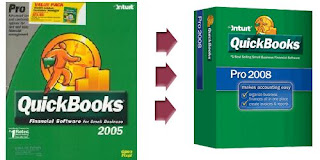
Those of you still using QuickBooks 2005 (pro or Premier) or QuickBooks Enterprise Solutions 5.0 AND processing your own payroll. Please, upgrade to the newest version of QuickBooks before May 31st. We have made this point before, but it is incredibly important to do this. If you don't, you will find that when you go to pay your employees in the first week of June, you'll be in trouble.

Please don't hesitate to call us if you need expert assistance in upgrading to the 2008 edition. And don't miss out on the opportunity to save 15-20% on your software by using our webstore. Don't be the person who calls on June 6th and says "my payroll isn't working!" (though, we'll still help even if you are that person).

Friday, March 14, 2008

"Can you upgrade One-Write Plus to QuickBooks?"


We get this question surprisingly often. One-Write plus was the junior version of Peachtree, sort of like Simple Start is to QuickBooks. Unfortunately, Intuit never created a conversion tool to go directly from One-Write Plus to QuickBooks. However, we've had success upgrading old One-Write Plus files to a recent version of Peachtree (the ability to do that is built into Peachtree), and then using Intuit's conversion tool to convert from Peachtree to QuickBooks.
A number of people who have thought their old data was gone because they no longer have access to OWP and can't find a copy of such an old program have been very pleased to find out that this is in fact possible.

Friday, February 15, 2008

The Three Year Upgrade Cycle: Who?


Finally, when getting ready to upgrade, think about who should be performing this task. Given the proper knowledge and safeguards anyone can do it. However we have seen many disasters that have arisen from companies that should know better letting their "tech guy" or the secretary's teenager who is "good with computers" attempt the upgrade.
Upgrading QuickBooks is not just like installing the new verion of Office or applying an add-on pack for your favorite video game. Without a cautious approach, it is possible to lose hundreds or thousands of hours of data entry and financial records that may never be replaced. If you are going it alone or your "tech guy" is sure they can handle it: PLEASE be sure to BACK UP before you get started.
Of course, a better option is to call professionals who do this all the time and know exactly how to do your upgrade smoothly and seemlessly. We provide these services both in the Sacramento Area and the Reno/Tahoe area. You can also find certified QuickBooks Pro Advisors through Intuit's website.

Wednesday, February 13, 2008

The Three Year Upgrade Cycle: How?


Now you're ready to upgrade.  You've purchased the software, set aside some time to do it, and you want to get going with your new QuickBooks 2008.  So how do you proceed?
The first, most important step :  BACK UP YOUR CURRENT FILE!  This point can't be stressed enough.   As long as you have a good back-up, there is nothing you can't recover from down the road.  Attempting an upgrade without a back-up is a recipe for disaster.
If you are only running QuickBooks on a single computer (no network) you will now run the setup program from the CD and follow the on-screen instruction.  One point to watch: when it asks you if you want to upgrade your previous version or do a new installation in another directory, choose the new directory.  You've paid for both full versions (2005 and 2008 in this case) so you should retain both.  This will also allow you to freeze your old file in time for reference should you need to go back to it.
If you are upgrading a multi-user, networked environment.  Follow the procedure above, however, be sure you install the program on your server first, then each client station.
Finally, open QuickBooks 2008 and rather than upgrading your file that is on your computer (thus making it incompatible with your old 2005 program) instead restore the backup you have made.  QuickBooks 2008 will upgrade that file for you and save it in the proper directory.  This way you now have your "going forward" file accessible in QuickBooks 2008 and your archive, frozen in time file accessible in QuickBooks 2005.

Tuesday, February 12, 2008

The Three Year Upgrade Cycle: When?


So you know you have to upgrade, but when, exactly is the right time to engage this process?  Well, obviously before the sunset date of May 31st, and after the day the new product (2008 in this case) was released - which was in fall of 2007.  But within that window, there are some specific concerns.
We don't generally recommend starting the upgrade until after end of year payroll and tax forms are processed.  Finish your w-2s, your w-3s, 1099, 1096, and so on first.  You do not want to accidentally lose a full year's worth of good data right before you cross the "finish line!"
So, we've narrowed the window down to sometime between February and May - but beyond that, "When?"  We recommend that you do it on a day with the least scheduled activity in your business.  If you have a complex operation with multiple workstations and a a server and you generally need 5 people logged in at once - you want to minimize their downtime.  Many such clients opt to upgrade on a Saturday when nobody will be on the clock waiting around to get back into their compter.  Additionally, it is a good idea to do it after the "big" days in your payroll, A/P, and A/R cycle rather than right before.
Need software for your upgrade?  You can get 15-20% off via our website.

Monday, February 11, 2008

The Three Year Upgrade Cycle: Why?


It's about that time again.  Time when those who are using a version of QuickBooks 3 years old or older (QuickBooks 2005 users, this means you!) need to think about upgrading.

Intuit's sunset policy means that if you use payroll, process credit cards in QuickBooks, or care about getting techincal support directly from Intuit, you must upgrade by May 31, 2008.

If you don't use these features and don't care - you can continue to use QuickBooks 2005 as long as you like.  (Unless of course you hope to upgrade to Windows Vista).  In the next few blog entries we'll talk about the upgrade process.